Residential

A tech app that keeps working when the cell signal doesn't.

Good/Better/Best quotes on site, and card or ACH payments in the field.

Book a free demo

The Residential Reality

the pain
Missed revenue from unbooked calls and forgotten follow-ups.
ServiceFactor
Track revenue vs. missed revenue in real time. CSR booking performance dashboards keep every opportunity visible.
the pain
Technicians showing up unprepared, under-selling, or forgetting to collect.
ServiceFactor
Customer history, equipment status, Good/Better/Best quotes and payment collection are all on the tech's phone.
the pain
Service agreements that don't get renewed or fall through the cracks.
ServiceFactor
Automated inspection reminders, auto-invoice generation, and a dashboard showing every agreement's status at a glance.
01

Get More Revenue from Every Call

ServiceFactor's multi-option quoting lets technicians present Good, Better, and Best options on every call right from their phone. Declined work automatically becomes a tracked quote, so no sales opportunity ever falls through the cracks.
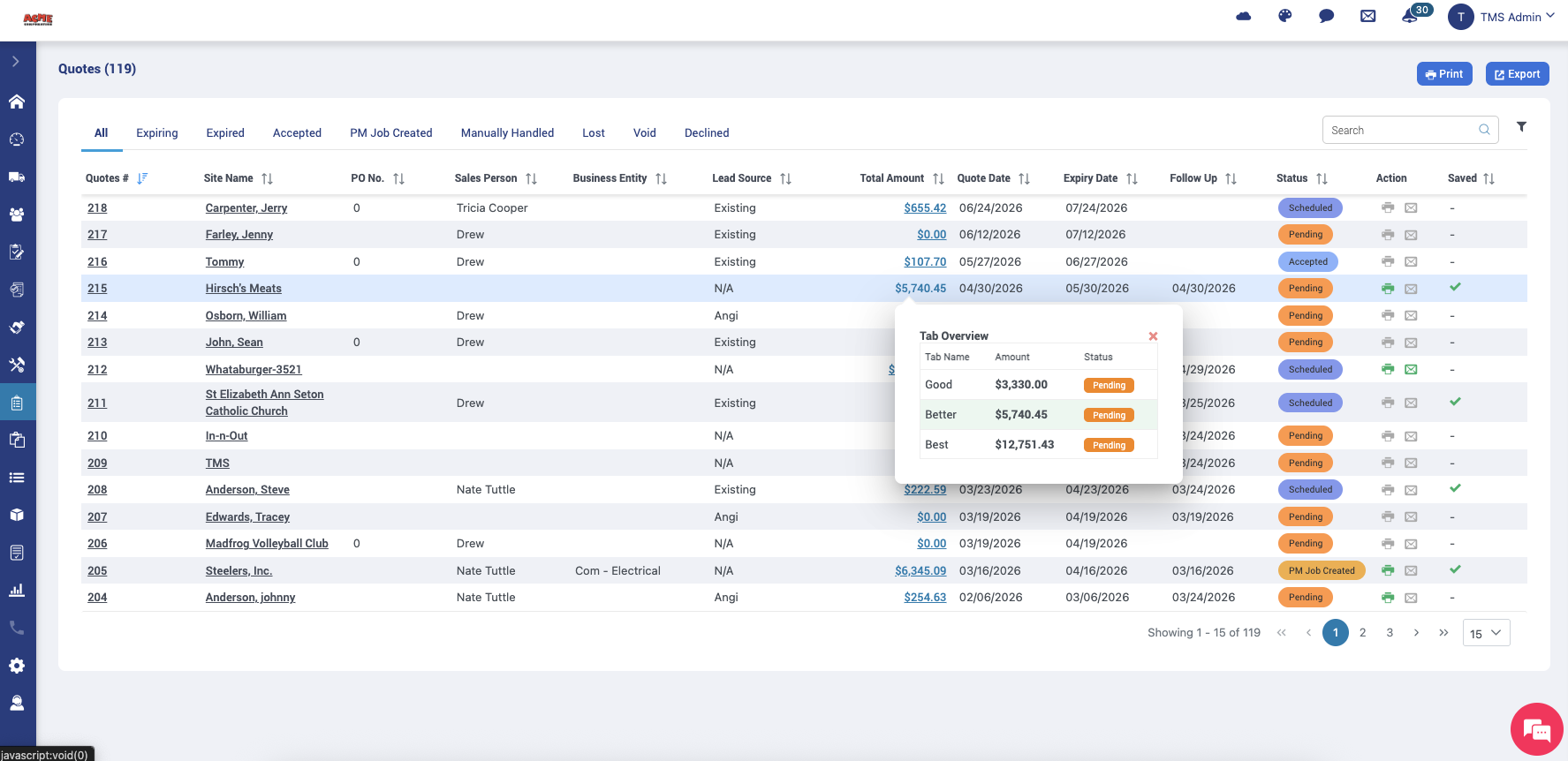
ServiceFactor quotes list with a Good, Better, Best summary showing three options, amounts and status.
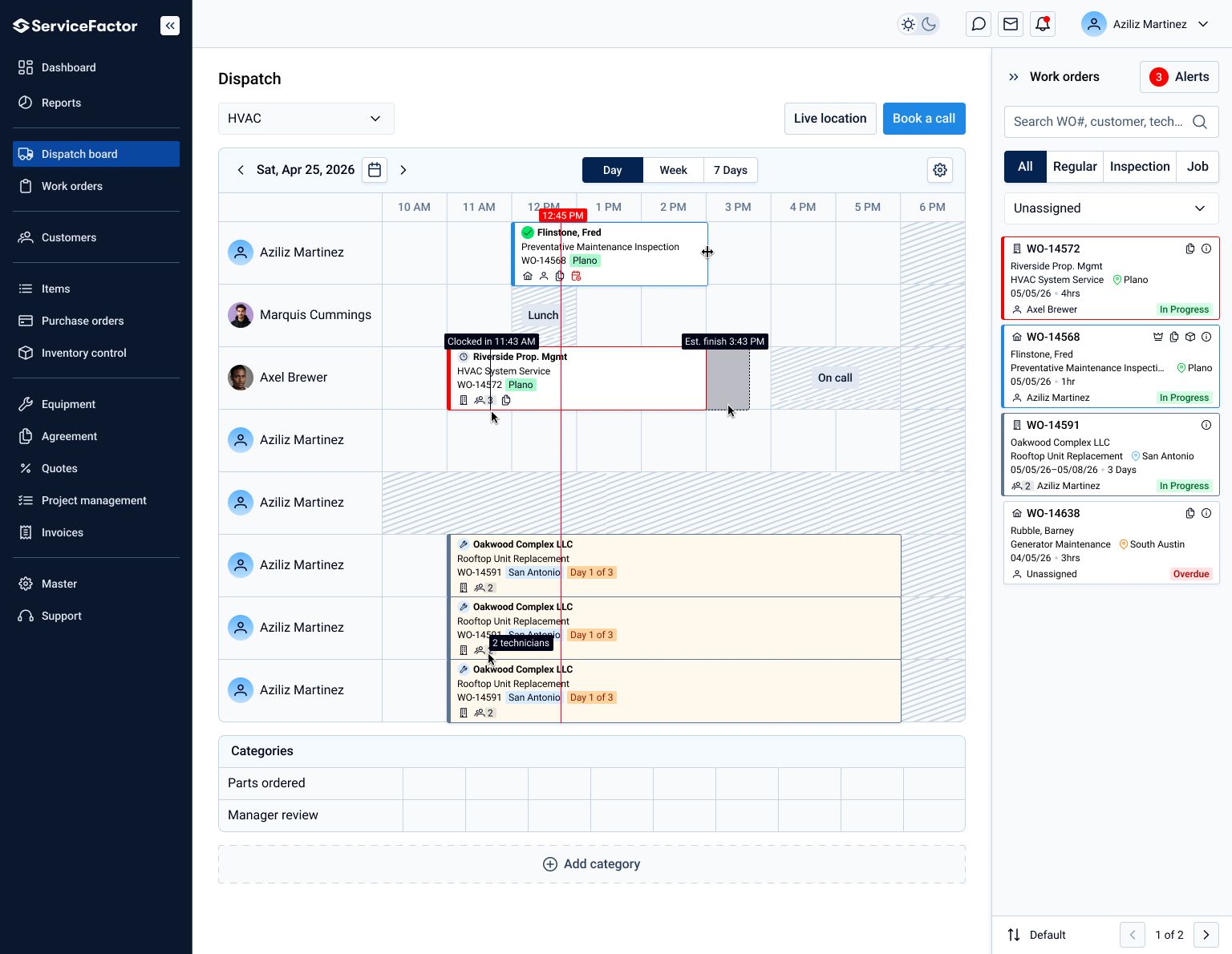
ServiceFactor dispatch board showing a day's schedule by technician, with open work orders listed on the right.
02

Keep Your Techs Productive in the Field

ServiceFactor's mobile module was designed through the eyes of a technician. Techs fill out custom forms that can require key fields and signatures, collect payment on-site and track travel and work time from status updates. ServiceFactor syncs both ways with QuickBooks Online and QuickBooks Desktop. Techs are up and running confidently within their first day.

03

Run a Tighter, More Profitable Operation

From tracking marketing ROI and CSR booking rates to equipment lifecycle alerts and service agreement profitability, ServiceFactor gives management real-time dashboards across every part of the business. Know which techs are hitting their numbers, which marketing sources are paying off, and which service agreements are up for renewal, all without pulling a single manual report.
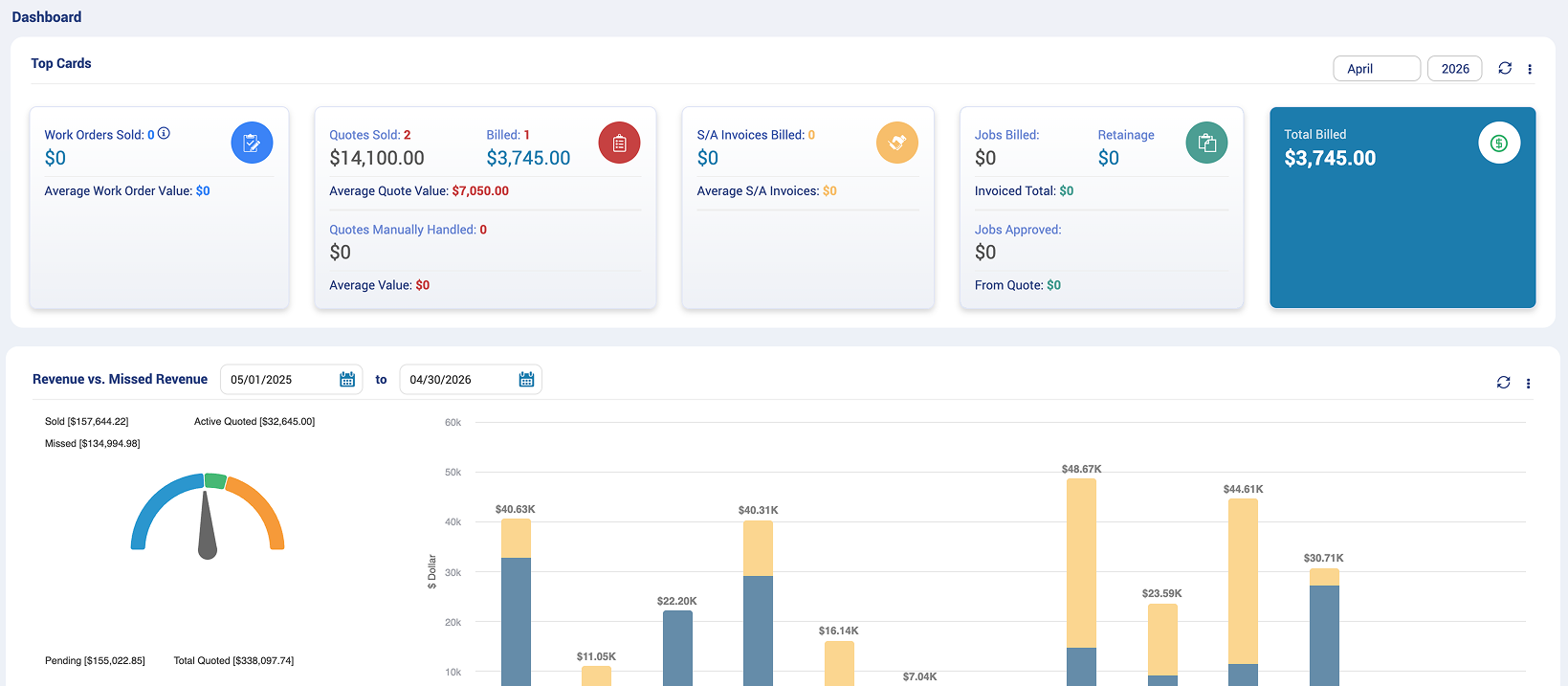
Business dashboard showing work orders, quotes, invoices, billed jobs, total billed, and revenue vs missed revenue chart.

Module Deep Dive

Good / Better / Best Quoting

Present homeowners with tiered options in the field. Track declined quotes back to the office for follow-up. Auto-convert accepted quotes to invoices easily without double entries.

Equipment Tracking

Track every unit at every home including age, warranty status (parts & labor), service history. Color-coded end-of-life alerts create natural replacement conversations.

Inventory Management

Track parts across trucks and warehouse. A reorder list shows what's below its reorder point, by warehouse and truck.

QuickBooks Integration

Syncs both ways with QuickBooks Online and QuickBooks Desktop, so there's no double entry. The QuickBooks connection is part of onboarding.

Payment Processing

SF Pay is an integrated way to receive and manage your payments, all in one place. Accept payments on invoices, including payment links on invoices, directly inside ServiceFactor, with lower costs and transparent pricing.
Onboarding

Switching software shouldn't feel like switching jobs.

Your team is up and running in four steps with a dedicated onboarding specialist at your side the whole way.
01

Pre-launch
Review

Your onboarding specialist meets with you to learn how your shop runs and plan your setup before anything moves.
02

Dedicated Onboarding Team

A real person, not a help article, runs setup and training with your team.
03

Easy Setup & Configuration

Customers, equipment, and agreements migrate in. Techs find it easy to learn from day one.
04

QuickBooks Integration Live

Syncs both ways with QuickBooks Online and QuickBooks Desktop. No double entry.
Since 1991
100% U.S.-based support: (800) 329-8326, Monday to Friday, 7:30 a.m. to 5:30 p.m. Central
Syncs both ways with QuickBooks Online and QuickBooks Desktop
Works offline, on any device
Blue curved abstract shape on a black background.Abstract blue shape with smooth curves extending from left to right on a white background.
Get started

See how ServiceFactor fits your residential service shop

We'll walk you through ServiceFactor with your own questions.

Book a free demo